Request Quote
Category

News Update

1000750229
News Update

Most students get NAT wrong — do you?

Most students get NAT wrong — do you?

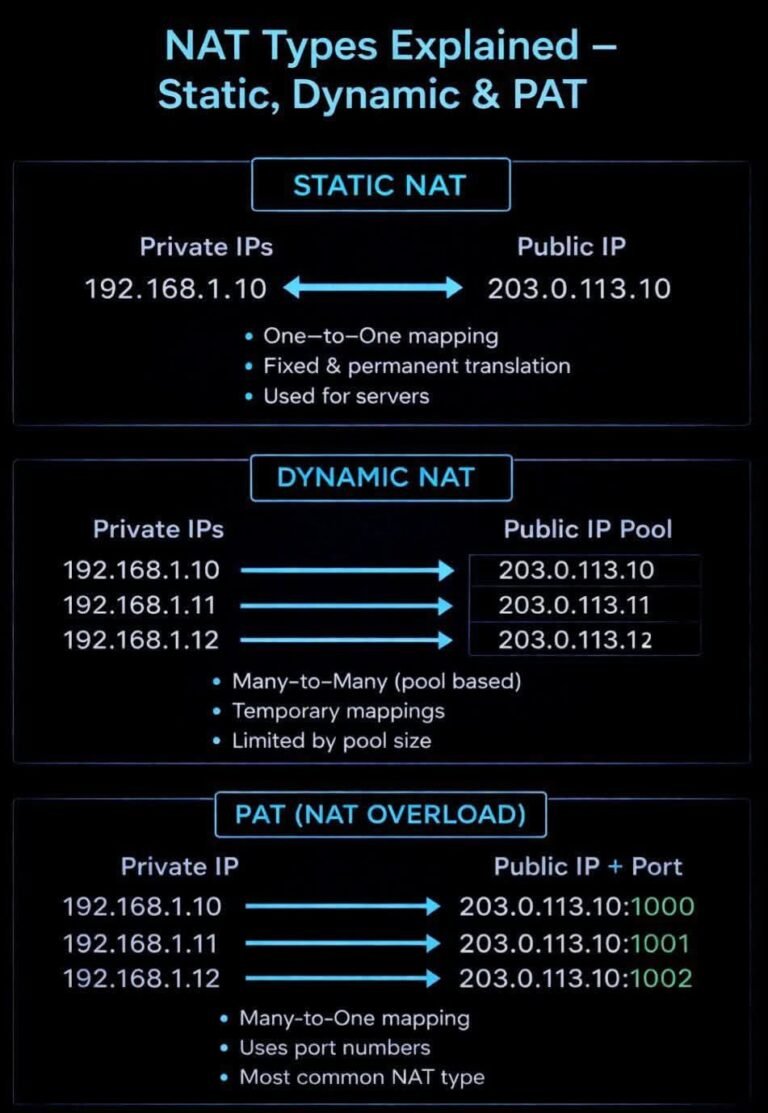
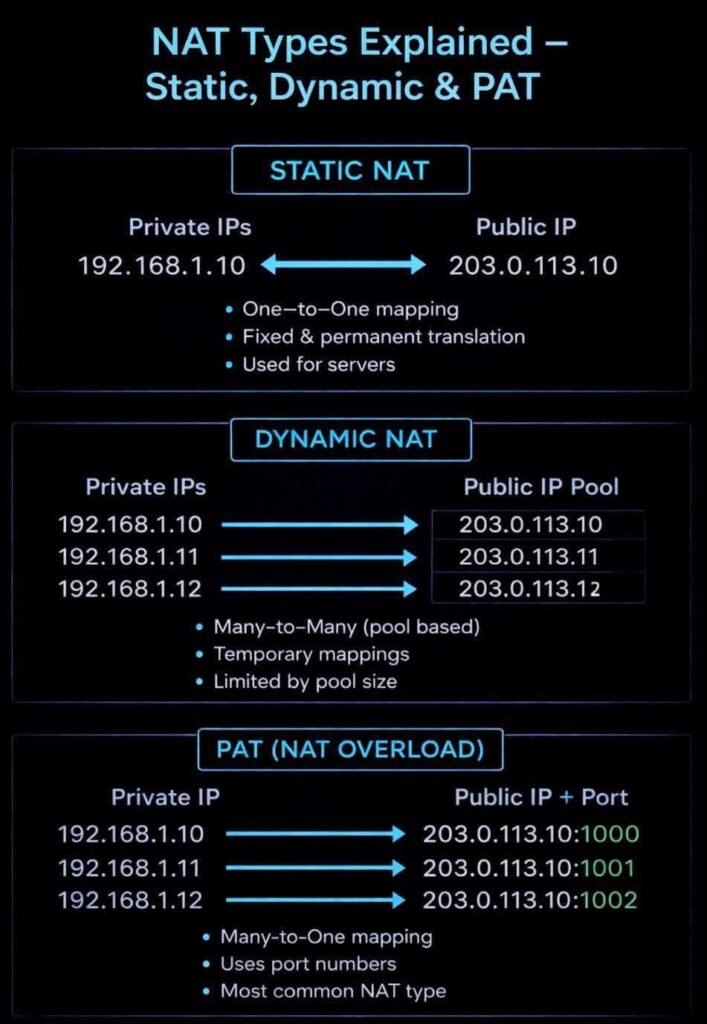
Static NAT, Dynamic NAT, PAT (NAT Overload)…
They look similar, but one small difference can fail your CCNA exam

*One-to-One
*Many-to-Pool
*Many-to-One (Ports)

This picture diagram explains it in 10 seconds.

Question:
Which NAT is used in home routers?
Comment your answer

CCNA #Networking #NAT #IPRouting #NetworkEngineer #ITStudents #haltech.tech #Haltec
1000750229
1000679342
News Update

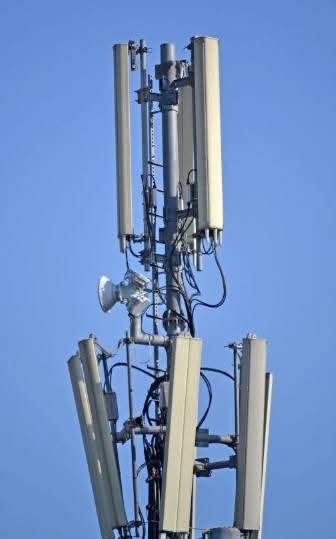
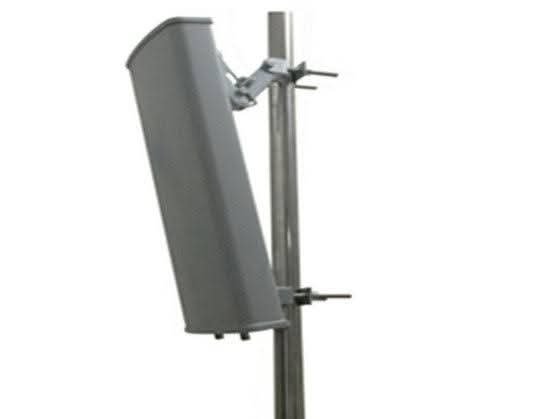
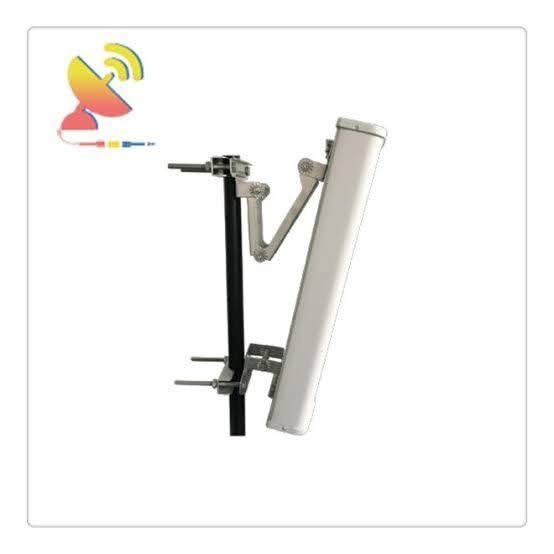
E-tilt” (electrical tilt) GSM antennas.

“E-tilt” (electrical tilt) GSM antennas are used in mobile towers because they allow network operators to remotely and dynamically optimize the coverage area and reduce interference without physically adjusting the antenna.

This method provides greater flexibility and efficiency in network management compared to manual mechanical tilting.
Key Benefits of E-Tilt Antennas

Remote Adjustability:
E-tilt (often referred to as Remote Electrical Tilt, or RET) allows engineers to change the downward angle of the antenna beam from a central office using a computer, eliminating the need for a physical site visit and manual adjustment of the mounting brackets.

Optimized Coverage and Capacity:
By precisely adjusting the tilt, operators can concentrate signal strength in high-traffic areas (e.g., a specific urban center) and minimize signal overlap with neighboring cells, which reduces interference and improves overall network quality.

Real-time Response to Network Needs:
Network conditions and traffic patterns change dynamically. E-tilt enables quick, real-time adjustments to antenna parameters, allowing the network to adapt efficiently to current demand or resolve performance issues quickly.

More Uniform Coverage Shaping:
Mechanical tilt affects the width of the coverage area unevenly (more like an ellipse), while electrical tilt provides a more uniform reduction in coverage area in the direction of the tilt (more like a shrinking circle), which can be more predictable and desirable for network planning.

Cost-Effectiveness and Safety:
While the initial cost might be higher, E-tilt saves significant operational costs associated with sending a team to physically climb the tower for adjustments, and it avoids the safety risks involved in tower climbing.

1000679342
1000679343
FB IMG 1769898581581

DNS 2048x1175 1
News Update

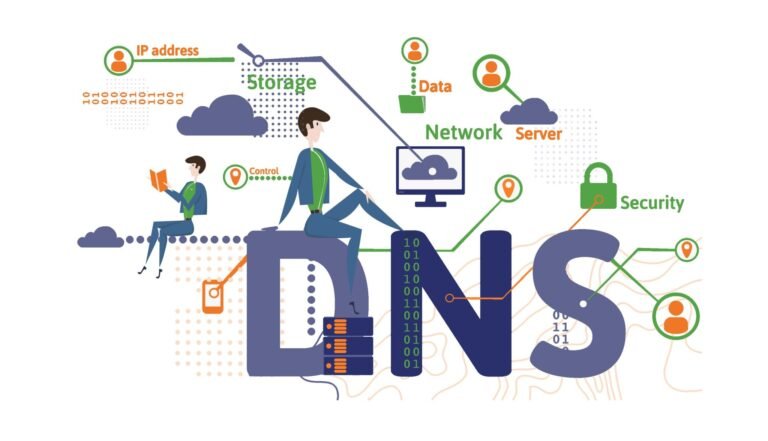
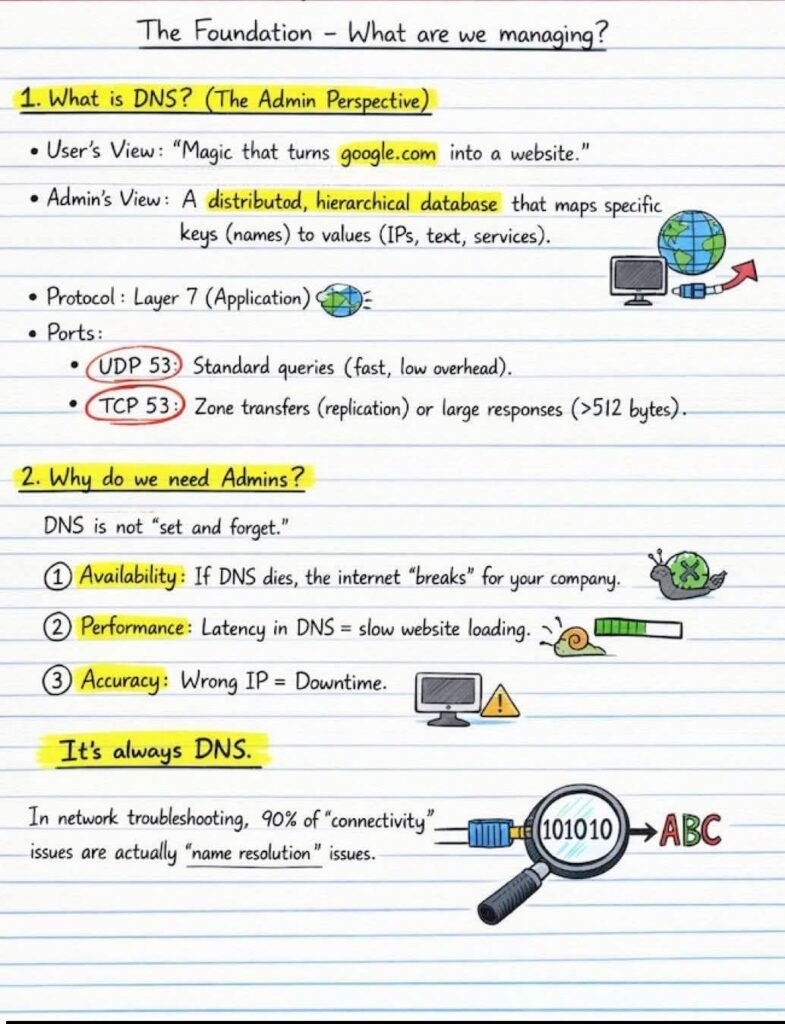
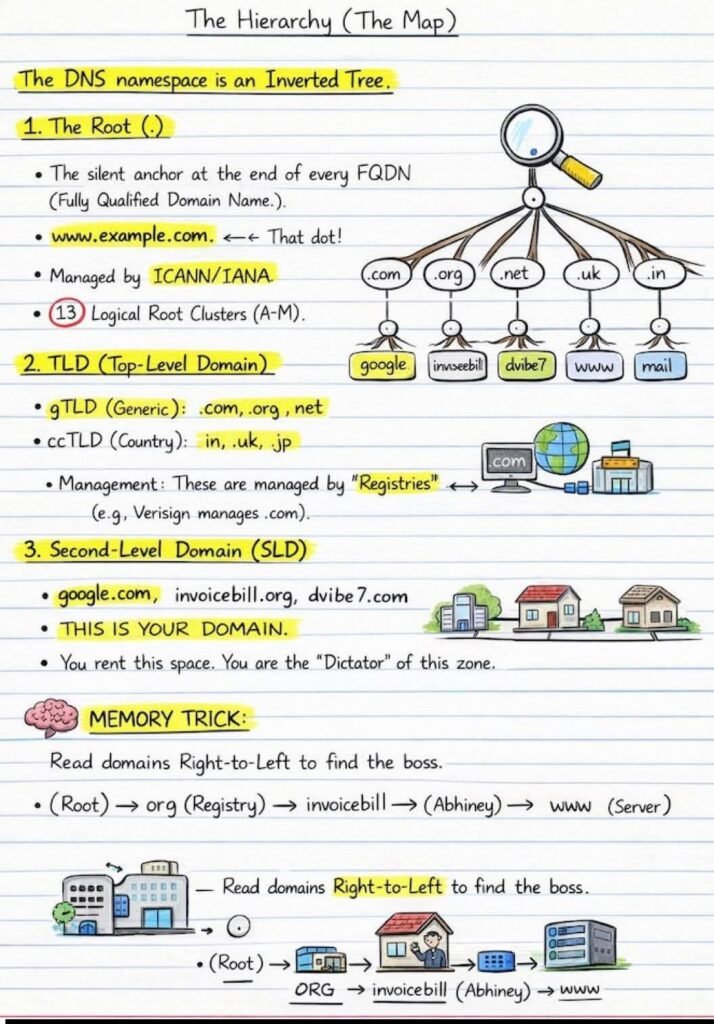
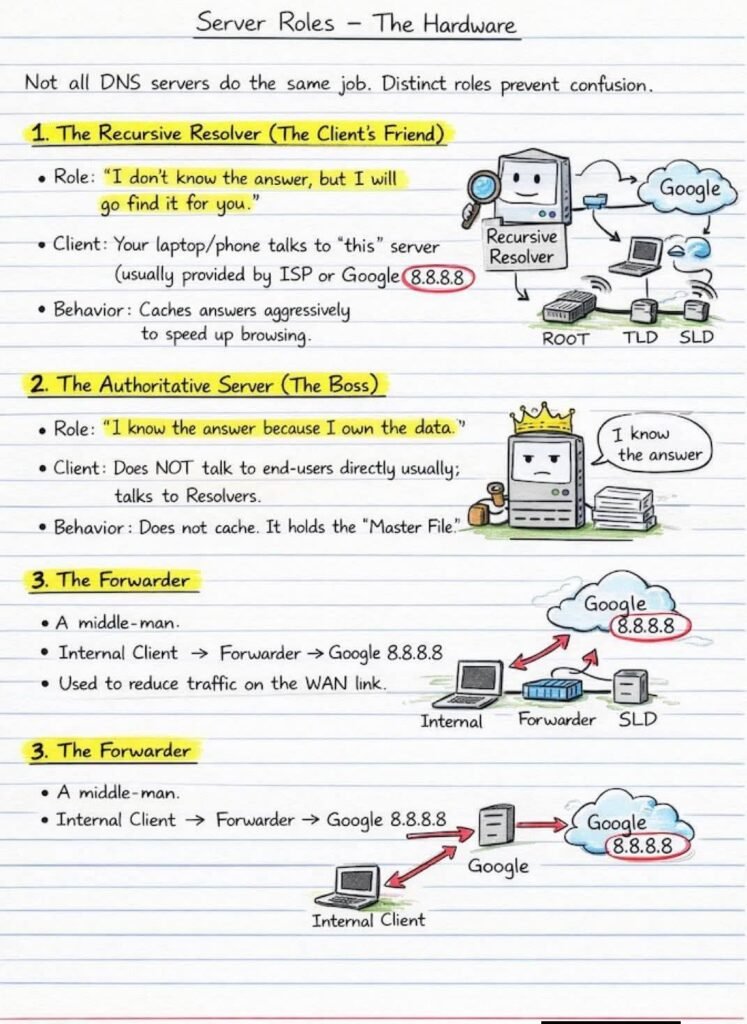
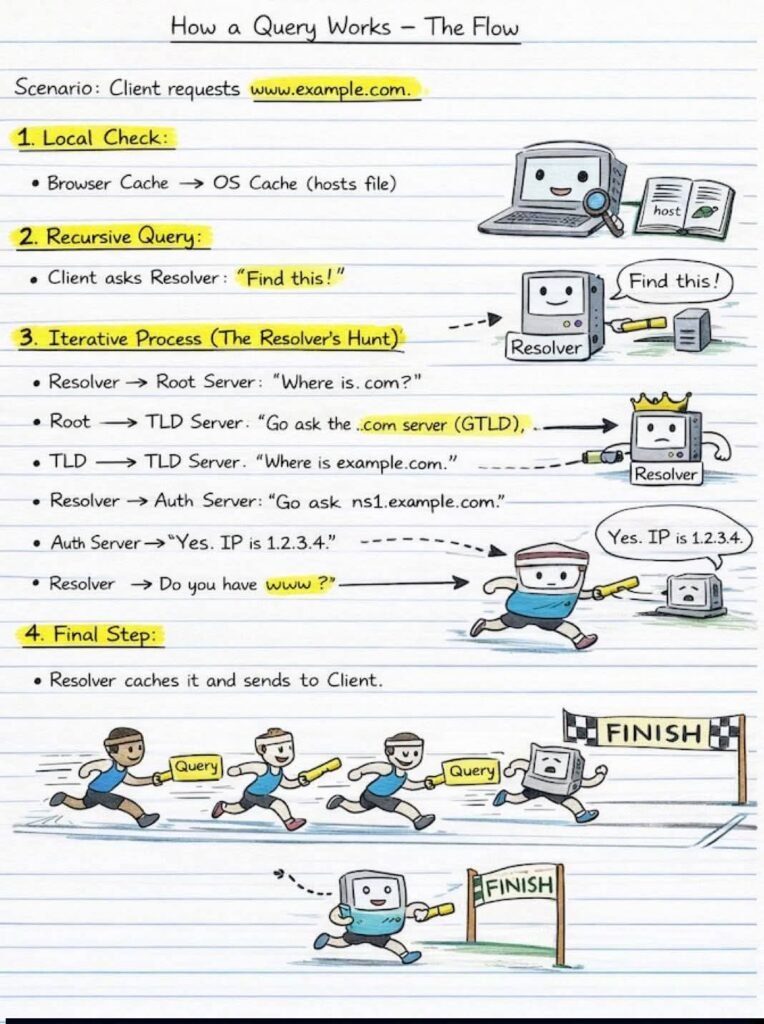
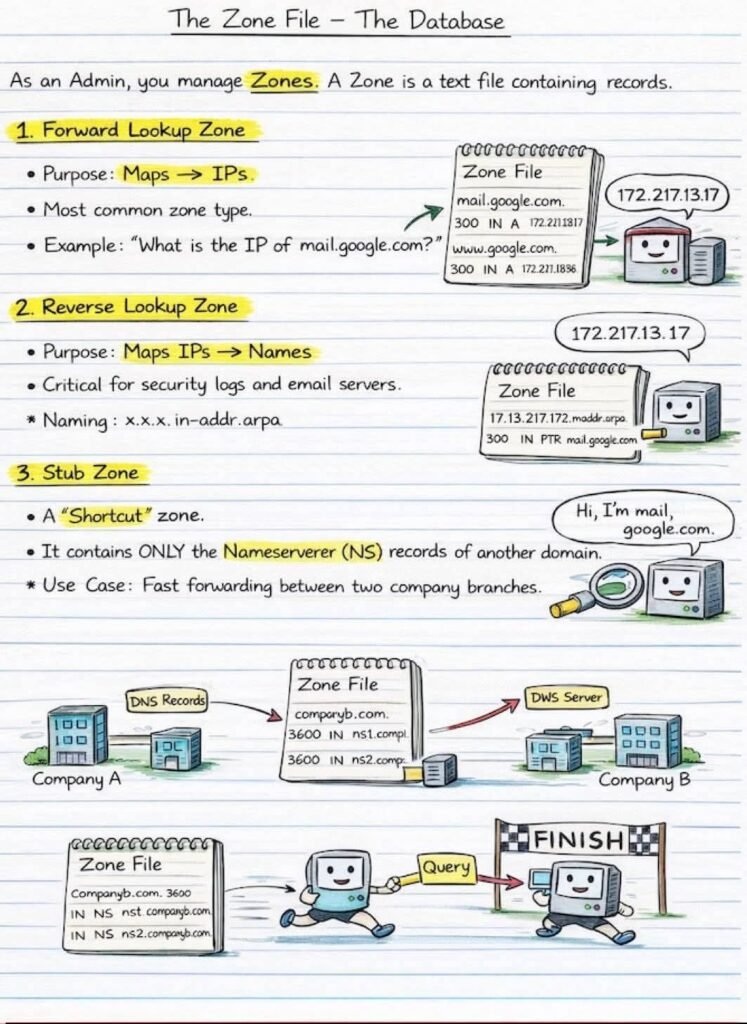
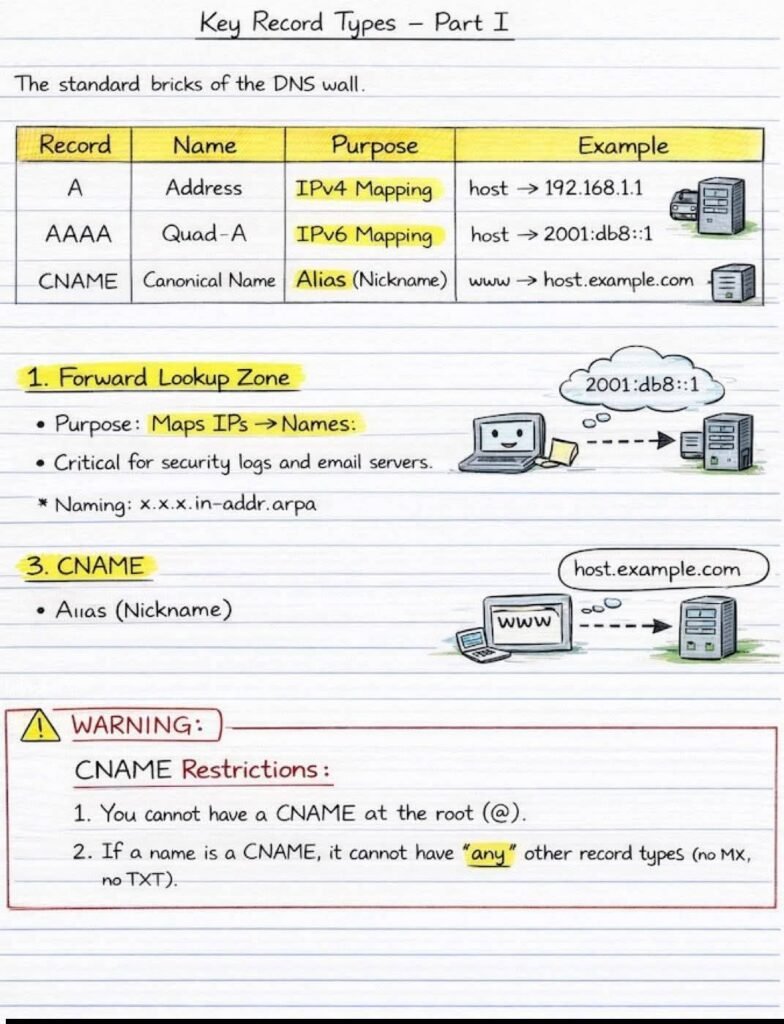
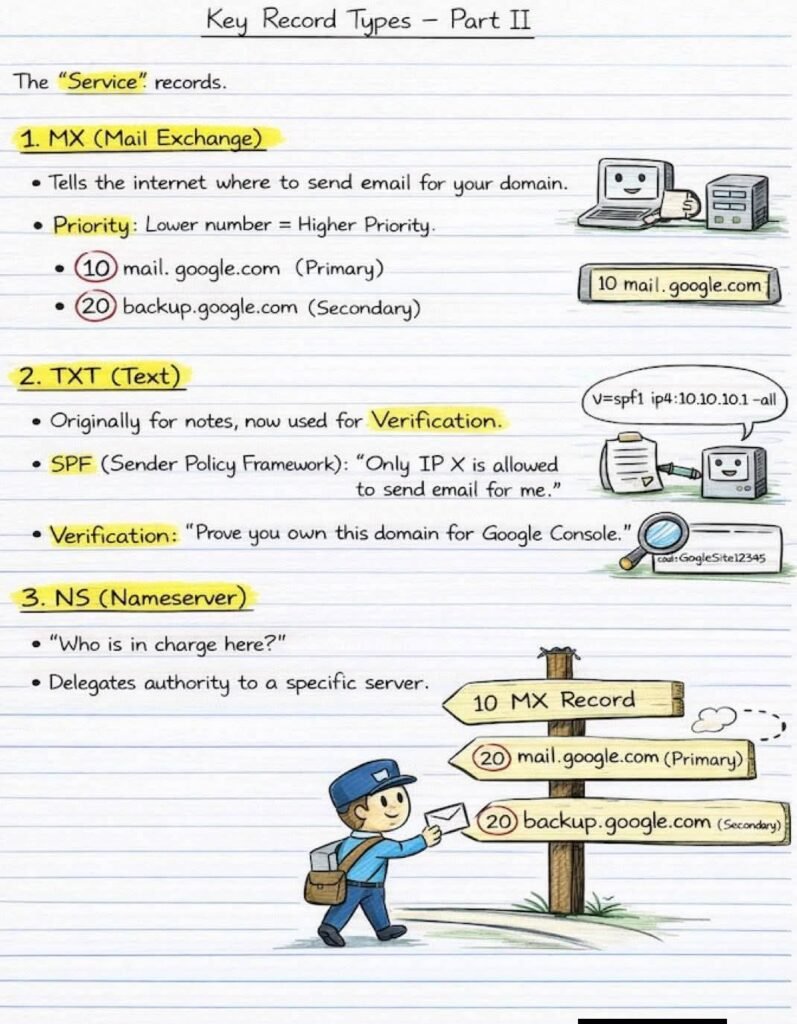
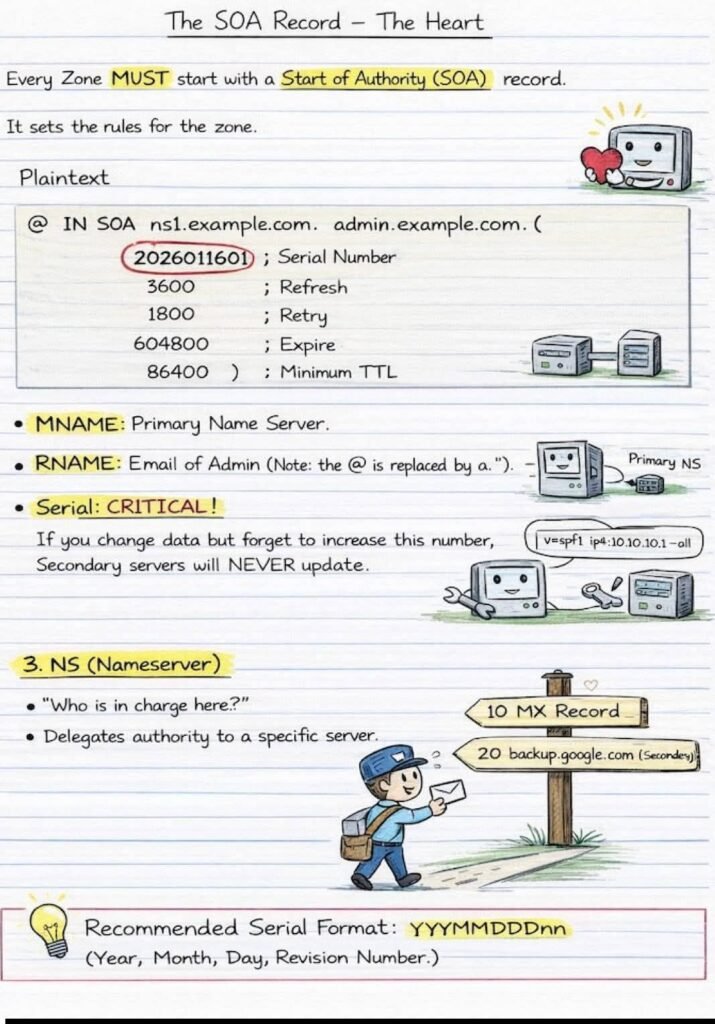
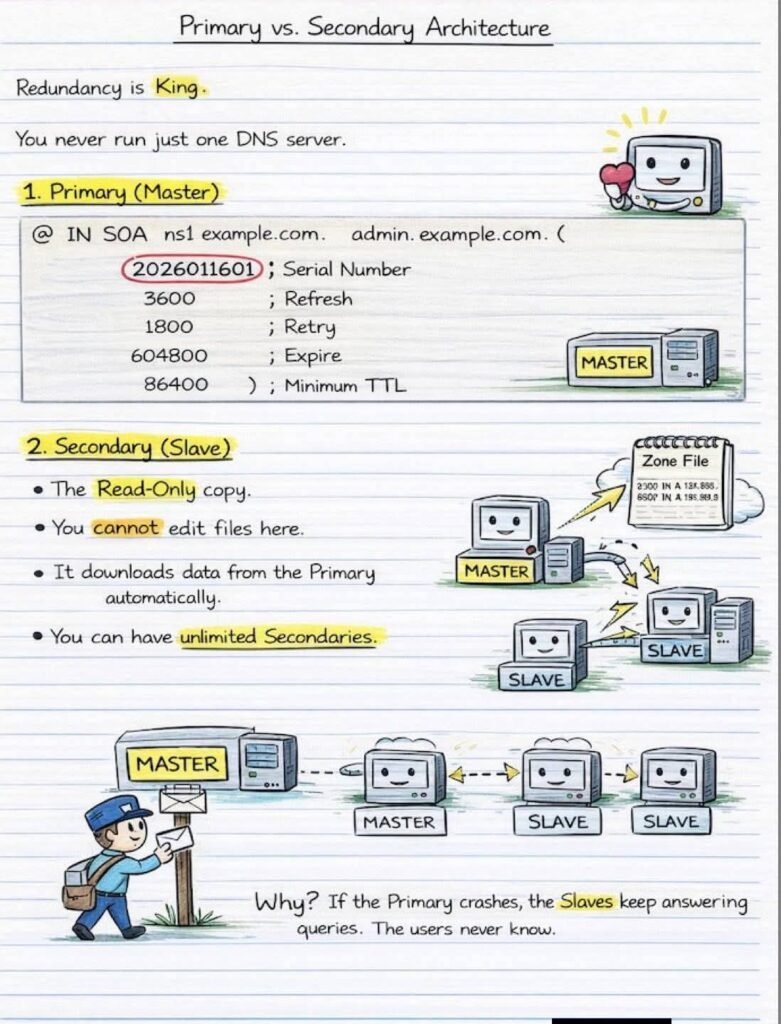
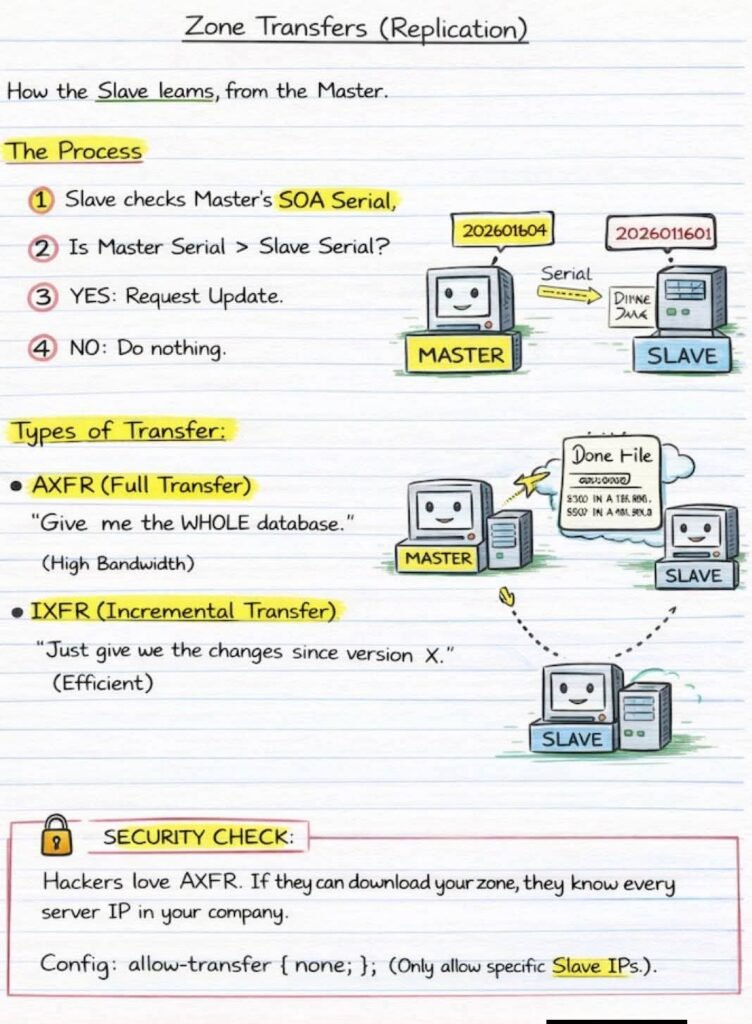
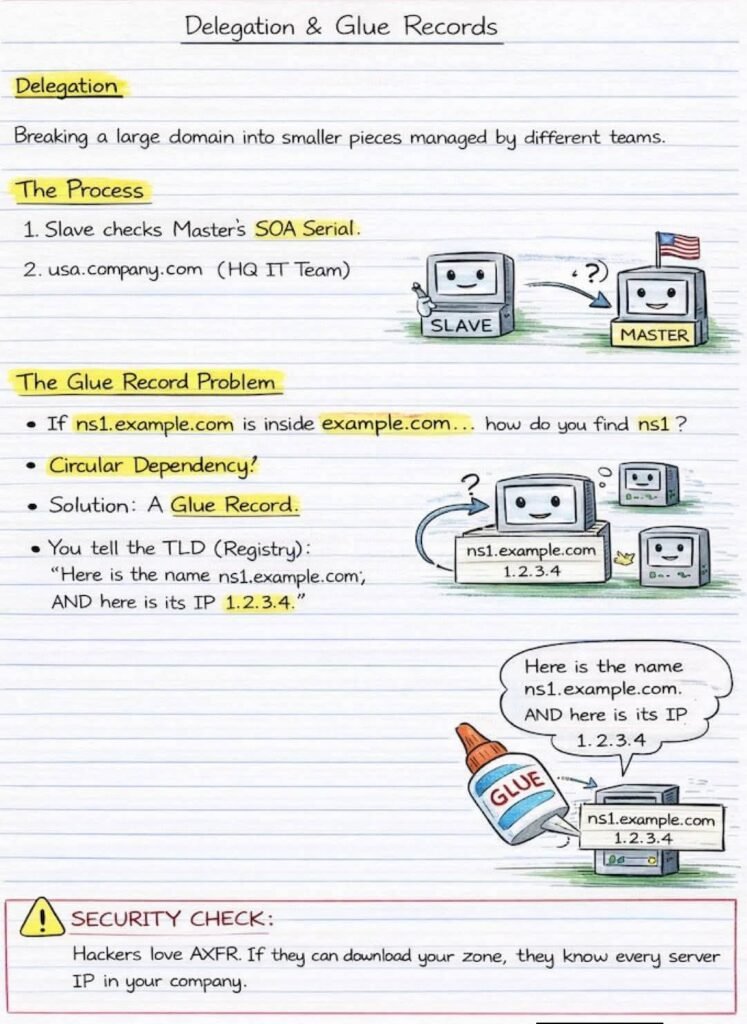
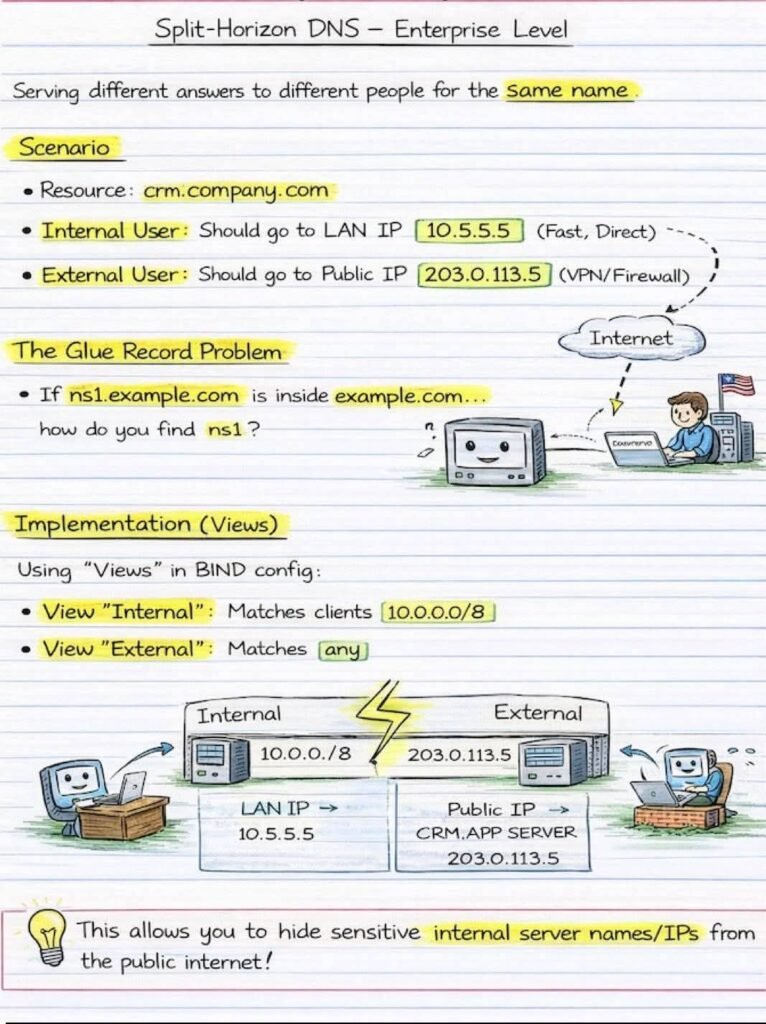
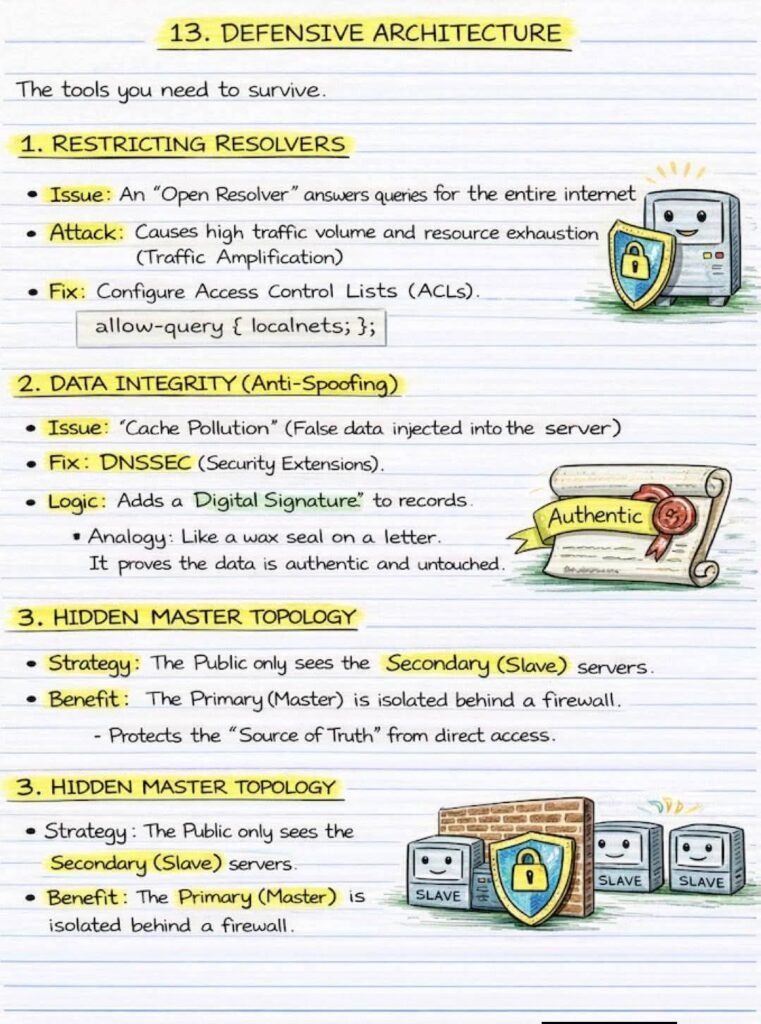
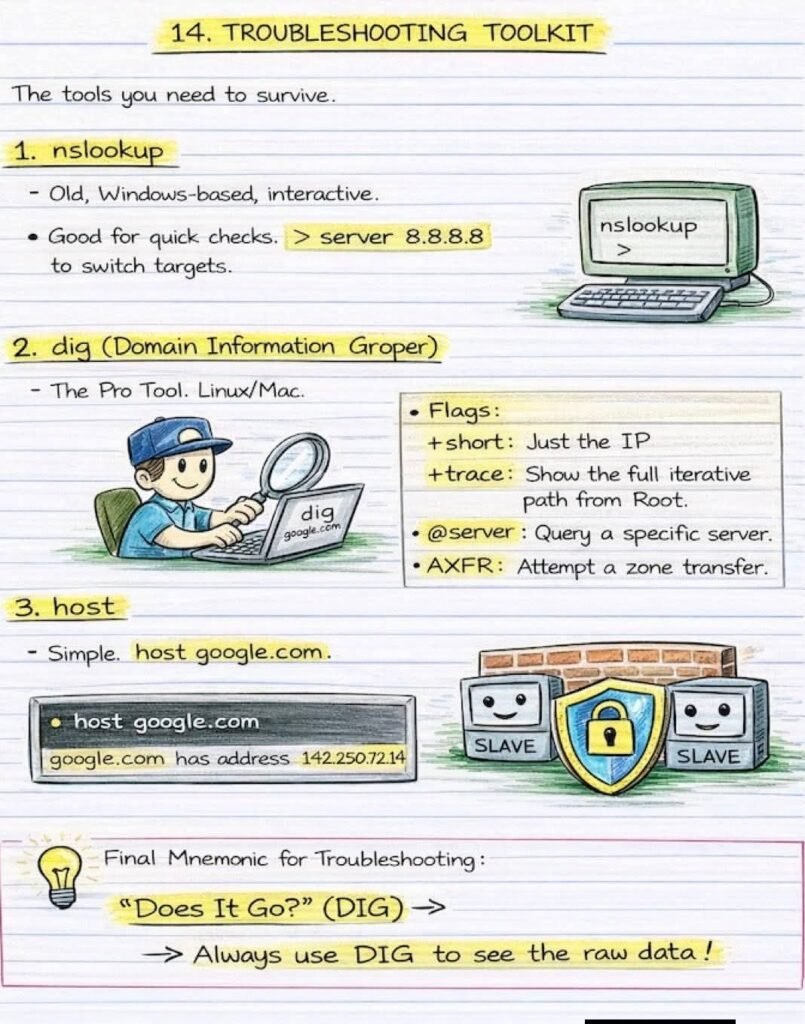
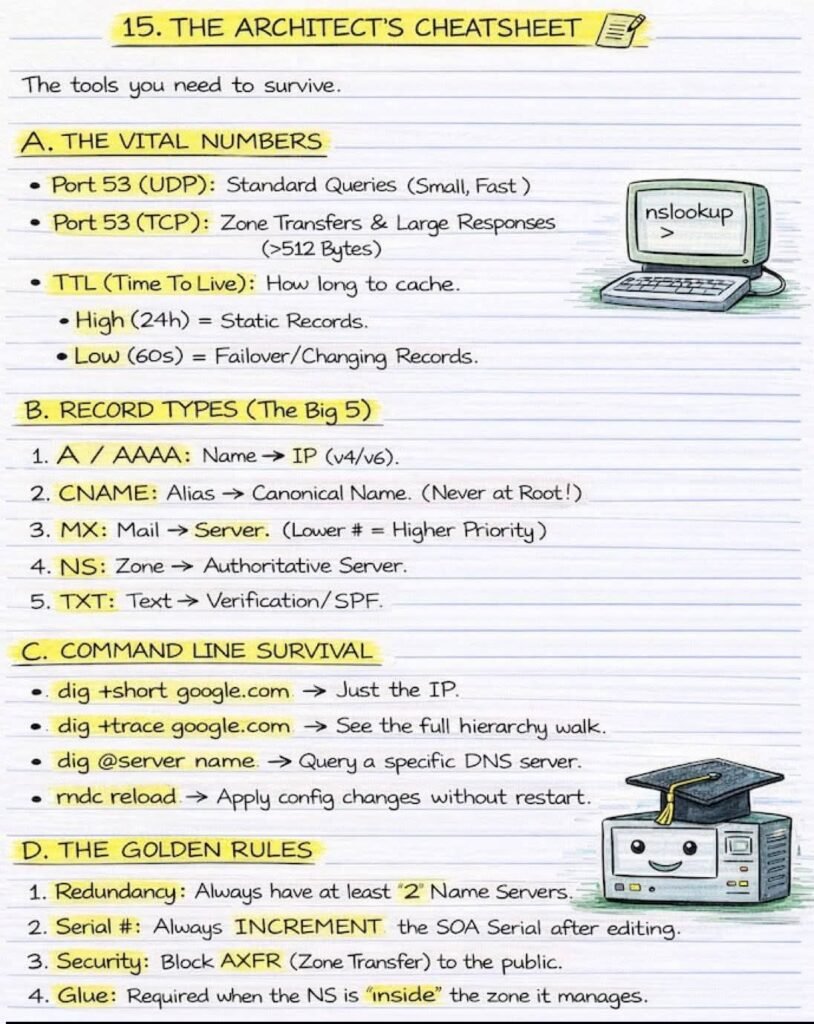
DNS from Basics to Enterprise Architecture – Everything in one Place!!!

DNS from Basics to Enterprise Architecture — Everything in ONE Place!

From “How does google.com open?” to “How do enterprises secure DNS at scale” — this post connects the full DNS journey

🔹 Start with the Core

  • What DNS really is (admin vs user view)
  • DNS hierarchy: Root ➝ TLD ➝ Domain
  • Key records: A, AAAA, CNAME, MX, TXT, NS
  • SOA record — the heartbeat of every zone

🔹 How DNS Actually Works

  • Local cache → Recursive → Iterative queries
  • Resolver, Root, TLD, Authoritative flow
  • Why “It’s always DNS” in troubleshooting

🔹 Enterprise & Advanced Concepts

  • Primary vs Secondary DNS (redundancy is king)
  • Zone Transfers (AXFR vs IXFR)
  • Delegation & Glue Records (no more circular dependency confusion)
  • Split-Horizon DNS — same name, different answers (internal vs external)
  • Hidden Master Architecture & DNSSEC

🔹 Real-World Survival Toolkit

  • dig, nslookup, host
  • Port 53 (UDP vs TCP)
  • TTL tuning, security hardening
  • Why misconfigured DNS = hacker’s playground.

🔹 One wrong DNS setting can cause:
❌ Downtime
❌ Security leaks
❌ Email failure

🔹 One solid DNS design gives:
✅ Reliability
✅ Performance
✅ SSecurity
✅ Scalability

FB IMG 1769639066219
News Update

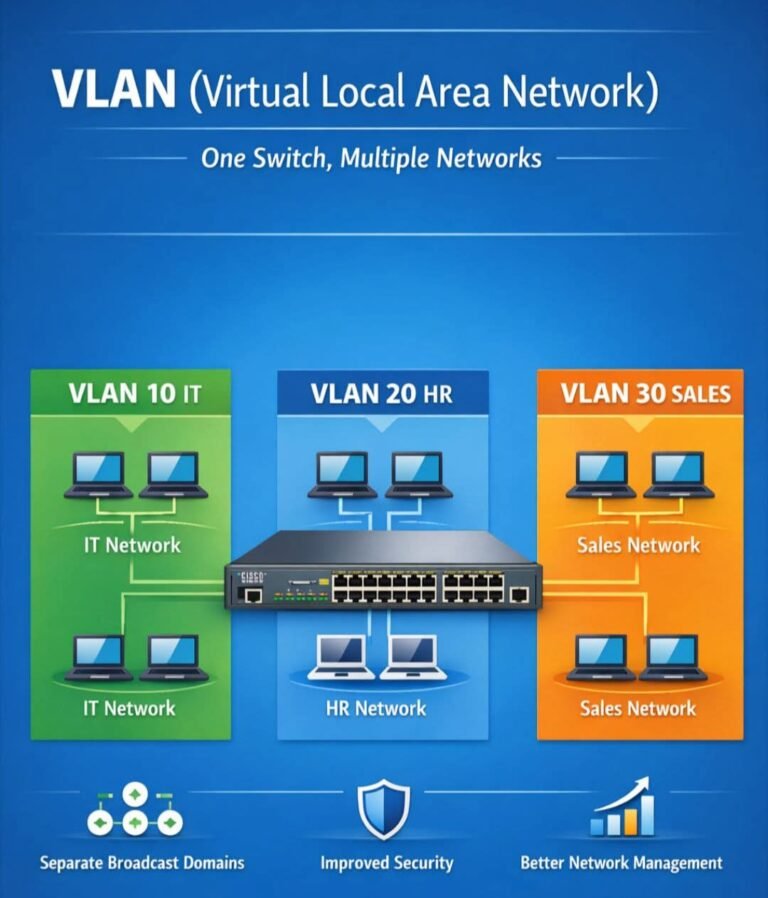
ONE SWITCH. MULTIPLE NETWORKS. ZERO CONFUSION.

This is the power of VLANs:

🔹 Same physical switch

🔹 Different logical networks

🔹 Better security, performance & control

🟢 VLAN 10 – IT

🔵 VLAN 20 – HR

🟠 VLAN 30 – SalesDevices stay isolated, broadcasts stay separate, and admins stay in control.That’s why VLANs are a must-know topic for CCNA & real networks

bluetooth
News Update

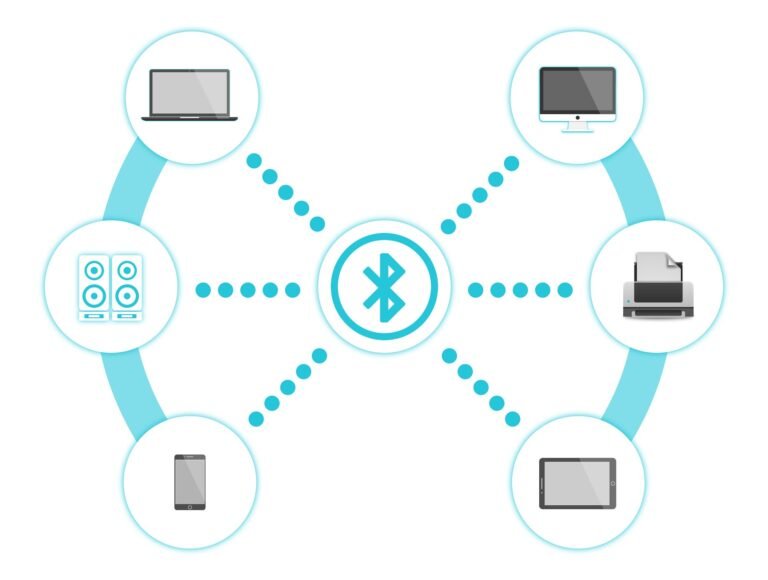
What Is Bluetooth

Bluetooth is a wireless technology used to connect devices over a short distance.
It allows devices to send and receive data without cables.
What Bluetooth is used for?
Bluetooth is commonly used to:
Connect phones to earphones/headsets
Share files between phones
Connect keyboard, mouse, speaker, smartwatch to a phone or computer
Connect devices in cars (hands-free calling, music)
It works using radio waves over a short range (usually about 10 feet).
Who invented Bluetooth?
Bluetooth was invented in 1990s by Dr. Jaap Haartsen, an engineer working at Ericsson, a Swedish telecommunications company.
The name “Bluetooth” comes from a Viking king, Harald Bluetooth, who united Denmark and Norway just like Bluetooth technology unites different devices.

Why is it called “Bluetooth” ?

Harald Blaatandtranslated in English means “Bluetooth”

A.D. 940-981

a king of Denmark and Norway

Brought Christianity to Scandinavians to harmonize their beliefs with the rest of Europe.

symbolize the need for harmony among manufacturers of WPANS around the world.

Bluetooth

WhatsApp Image 2026 01 27 at 3.17.28 PM
News Update

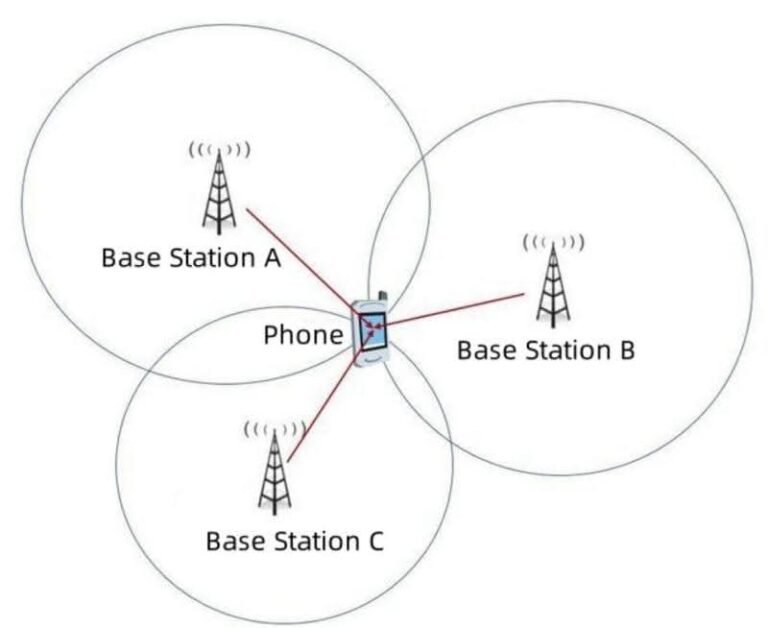
Why a Phone Does Not Always Connect to the Nearest Base Station?

Why doesn’t a phone always connect to the closest base station? A very common question from junior engineers is:

The short answer: distance is not the decision rule.

1️⃣ Signal quality matters more than distance

The nearest site may be:
• Blocked by buildings
• Using a different frequency band
• Experiencing strong interference

A farther cell can provide cleaner and more stable signal quality, which is more important than proximity.

2️⃣ Load balancing affects cell selection

Mobile networks don’t want all users on the same site.

If the nearest cell is heavily loaded:
• New users may be redirected
• Performance would degrade for everyone

Connecting to a less loaded cell often gives better real performance.

3️⃣ Cell selection is based on rules, not intuition

Phones follow network-defined criteria such as:
• Measured signal quality
• Priority and offsets
• Mobility and stability requirements

These rules are designed to keep the network stable and efficient, not “closest wins”.

4️⃣ Stability is preferred over frequent switching

If phones always chased the nearest cell:
• Handover frequency would explode
• Signaling load would increase
• User experience would suffer

Networks prefer fewer, stable connections over constant re-selection.

In short

Phones don’t connect to the nearest base station.
They connect to the best overall cell — balancing signal quality, interference, load, and stability.

Privacy Settings
We use cookies to enhance your experience while using our website. If you are using our Services via a browser you can restrict, block or remove cookies through your web browser settings. We also use content and scripts from third parties that may use tracking technologies. You can selectively provide your consent below to allow such third party embeds. For complete information about the cookies we use, data we collect and how we process them, please check our Privacy Policy
Youtube
Consent to display content from - Youtube
Vimeo
Consent to display content from - Vimeo
Google Maps
Consent to display content from - Google
Spotify
Consent to display content from - Spotify
Sound Cloud
Consent to display content from - Sound